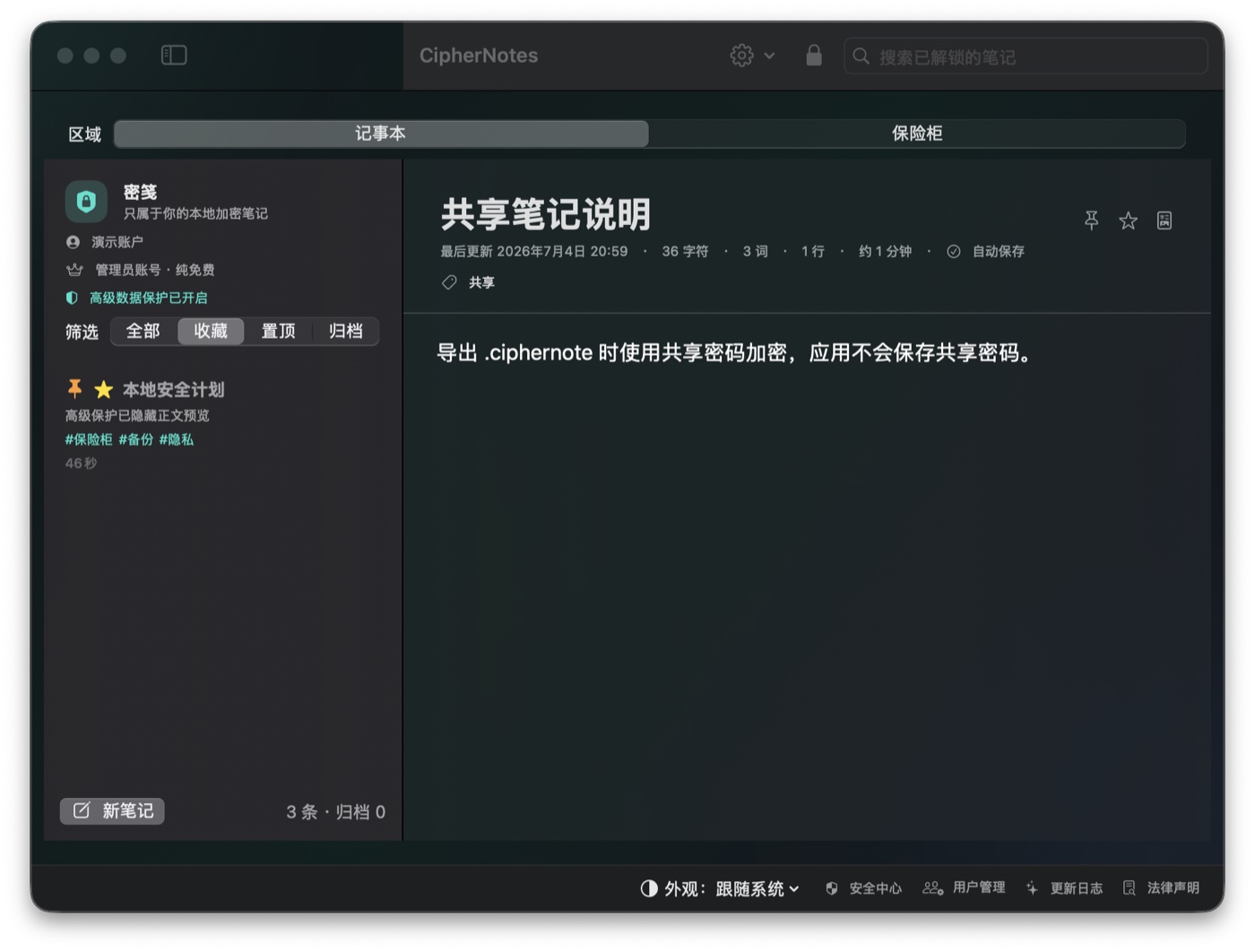
A privacy-first, fully local encrypted notes app and file vault for macOS. No cloud sync, no membership system, no hidden analytics.一款隐私优先、完全本地的 macOS 加密记事本与文件保险柜。没有云同步、没有会员系统、没有隐藏分析脚本。
CipherNotes is designed for private notes, IDs, contracts, scans, family files, project archives, and anything you do not want to place into a cloud notebook or drive.CipherNotes 适合私密记事、证件、合同、扫描件、家庭文件、项目归档,以及任何你不想放进云笔记或云盘的内容。
Clear privacy boundary清晰的隐私边界
No remote account, no analytics, no sync server, no paid switch. Your vault file and encrypted chunks stay local.没有远程账号、没有分析、没有同步服务器、没有付费开关。保险库文件和加密分片只保存在本地。
Notes and files together笔记与文件统一管理
Keep text, photos, PDFs, archives, scans, and large private files in one encrypted local workspace.把文字、照片、PDF、压缩包、扫描件和大文件都放在一个本地加密空间里。
Large-file path大文件路径
Vault files use 4 MB encrypted chunks. Large imports run in the background and exports stream back to disk.保险柜文件使用 4 MB 加密分片。大文件导入在后台运行,导出时按流写回磁盘。
Equal local accounts平等本地账户
Accounts are visible on this Mac, but each account can only manage itself. There is no master account.本机上可见多个账户,但每个账户只能管理自己,没有主账号。
Highest Protection最高保护
Hide previews, block copy/export/share paths, prefer built-in viewers, add an inactive-window privacy shield, and optionally configure a decoy password.隐藏预览、阻止复制/导出/分享、优先使用内置查看器,窗口失焦时启用隐私遮罩,还可以配置虚假密码。
Local security log本地安全日志
Security events are encrypted with the account and avoid note bodies, filenames, passwords, and recovery codes.安全事件与账户一起加密保存,不记录正文、文件名、密码或恢复码。
Privacy boundary
Stored locally本地存储
Encrypted note payloads加密的笔记内容
Encrypted vault file chunks加密的保险柜文件分片
Account display names账户显示名
Encrypted local security logs加密的本地安全日志
Optional local backups you create你自己创建的本地备份
Never uploaded by the app应用不会上传
Note titles or bodies笔记标题或正文
Photos, PDFs, archives, scans照片、PDF、压缩包、扫描件
Passwords or recovery codes密码或恢复码
Usage analytics or ads data使用分析或广告数据
Security log sensitive object names安全日志中的敏感对象名
Build and release构建与发布
release-check.shmacOS 14+
# run tests$ swift test --scratch-path /tmp/ciphernotes-test
# build installer, zip, docs and website output$ Packaging/build-release.sh
# publish source, then attach pkg/zip to a GitHub Release$ git push origin main
Release notes发布记录
1.1.15
Added transactional vault recovery, refined native viewer interactions, and a stable three-layer workspace with consistent motion.加入保险库事务恢复、优化原生查看器交互,并以统一动效重构稳定的三层工作区。
1.1.12
Strengthened protected-session isolation and simplified security-log clearing to one password-confirmed dialog.强化受保护会话隔离,并将安全日志清空简化为一次密码确认。
1.1.11
Replaced the fixed preview sheet with a full-workspace viewer and native system full-screen control.以全工作区查看器取代固定弹窗,并加入原生系统全屏控制。
1.1.10
Made double-click and smart zoom preserve the clicked image pixel under the pointer.双击与智能缩放会以指针下方的图片像素为锚点,不再固定围绕整图中心。
1.1.9
Rebuilt the encrypted media viewer with native zoom, lazy thumbnails, adjacent preloading, bounded caches, and background multi-photo imports.重构加密媒体查看器,加入原生缩放、惰性缩略图、相邻预载、受控缓存和后台多照片导入。
1.1.8
Fixed the workspace collapsing into the bottom of the window and added a visual regression check.修复主工作区整体坠入窗口底部的问题,并加入视觉回归检查。
1.1.7
Enabled standard macOS screenshots, recording, and window sharing while retaining privacy safeguards.允许标准 macOS 截屏、录屏与窗口共享,同时保留失焦遮罩和自动锁定。
1.1.6
Restored the 1.0.8 post-login interface while retaining the current login page and encrypted data compatibility.恢复 1.0.8 登录后的完整界面,同时保留当前登录页与加密数据兼容性。
1.1.5
Removed the post-login bottom utility strip, restored the full workspace, and kept Security Center visible in the toolbar.移除登录后的底部功能栏,恢复完整工作区,并在工具栏中保留醒目的安全中心入口。
1.1.4
Rebuilt account-mode switching with a fixed selector, spring-resizing glass panel, and direct bottom controls.重做账户模式切换:选择栏固定、玻璃面板弹性伸缩,底部入口直接显示。
1.1.3
Fixed the blank login-window regression and added automated foreground-content verification.修复登录窗口空白回归,并新增自动前景内容验证。
1.1.2
Fixed the blank restored-window regression and restored Security Center as the primary app control.修复窗口恢复后可能空白的问题,并让安全中心重新成为首要入口。
1.1.1
Refined login, registration, and recovery for compact windows, with stable mode switching and overflow-proof app controls.优化登录、注册和恢复页的小窗口体验,修复切换不稳与全局控件横向溢出。
1.1.0
Rebuilt the media viewer, added encrypted range streaming, bounded previews, resumable imports, verified backups, and stronger automated UI checks.重构媒体查看器,加入加密分块播放、受控预览缓存、可暂停导入、备份校验与自动界面检查。
1.0.9
Security hardening and performance improvements for encrypted saves, file imports, login, recovery, sharing, and restore.安全加固与性能优化:改善加密保存、文件导入、登录、恢复、共享和还原。
1.0.8
Final production build: one public app, calmer workspace switching, native file menus, and aligned release metadata.正式版收口:只保留一个公开 App,优化工作区切换,使用原生文件菜单,并统一发布元数据。
1.0.3
Rebuilt the website with a GitHub-inspired layout, clearer release guidance, and cleaner SVG iconography.重建官网布局,做成更像 GitHub 的样式,并补齐发布与图标展示。
1.0.2
Added Advanced Data Protection decoy password, fixed weak button contrast, and refreshed in-app changelog visibility.加入高级保护虚假密码,修复按钮对比度,并改善应用内更新日志可见性。
1.0.1
Added encrypted local security logs, privacy-protection blocking, and removed external password-manager helper prompts.加入加密本地安全日志、隐私保护阻止规则,并移除外部密码管理器辅助提示。
1.0.0
Removed paid features and administrator accounts. CipherNotes became a free equal-account local vault.移除付费功能和管理员账号,CipherNotes 变成免费的平等账户本地保险库。
Download下载
Current release: 1.1.15. The website download button points to GitHub Releases latest, so users always get the newest installer after a Release is updated.当前发布包 1.1.15。网站下载按钮指向 GitHub Releases latest,所以只要 Release 更新,用户拿到的就是最新版安装包。